
Cinerra
Tuofu JiyuanEntertainment
1.411.00 Reviews
- Version
- 1.0.7
- Installs
- 10.00K
- Age Rating
- Everyone
Screenshots
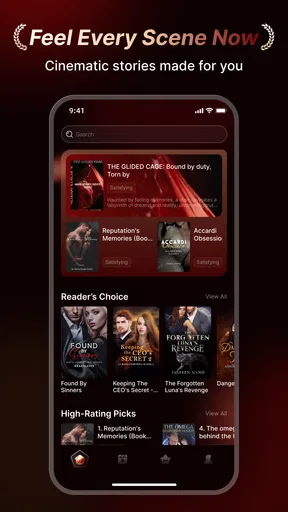
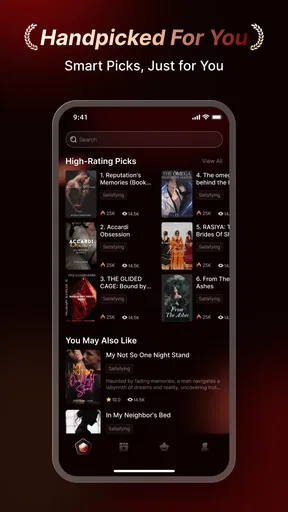
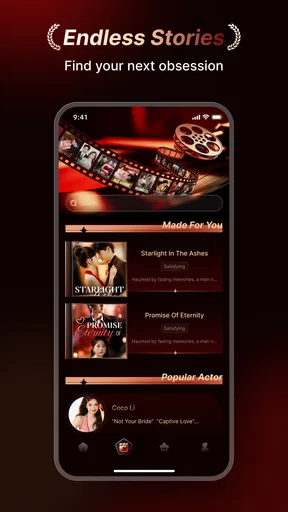
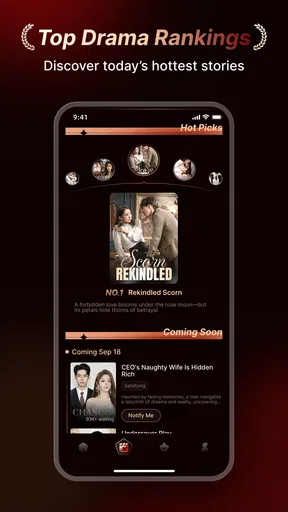
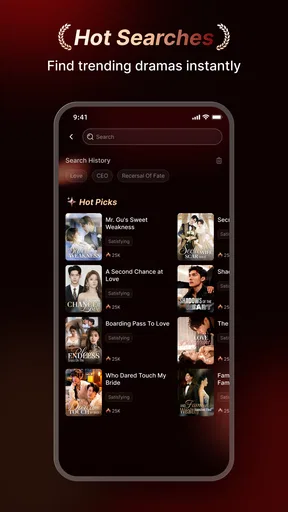
Our Review of Cinerra
 Analysis by Appyee
I approached Cinerra as an entertainment app for people who move between short dramas and novels rather than committing to one format. Its idea is easy to understand: keep story-driven video and written fiction in one place. That combination can be convenient when I want something visual during a break but prefer reading when I am somewhere quieter.
My overall impression is cautious. The app is free to install, available for Everyone, and published by Tuofu Jiyuan, but its very low average rating of 1.4 from around 27 ratings deserves attention before you make it part of your daily routine. That score is not a complete explanation of the experience, yet it is a clear reason to test the app carefully instead of assuming that a polished concept automatically means a polished service.
Cinerra is listed in the entertainment category, with over 10 thousand installs and version 1.0.7 as the current release. It supports Android 7.0 and later, which makes the compatibility range relatively broad for older phones. I would still treat the installation as a trial: use it, inspect the choices it presents, and decide whether its actual reading and viewing experience justifies keeping it installed.
How Cinerra Builds Trust Around Stories
I look at trust as something an entertainment app earns through small, predictable choices: clear transitions, understandable account controls, and no ambiguity around paid items. For Cinerra, I would make those checks part of a short first session rather than waiting until I have invested time in a story. The next section turns that cautious approach into a repeatable routine for deciding whether the app fits your habits.
A promising concept with a small public track record
The strongest part of the concept is the relationship between the two formats. Short dramas are useful when I want immediate movement, dialogue, and atmosphere. Novels are better when I want to slow down, imagine scenes for myself, or continue a story without watching a screen. Putting both under one app could reduce the need to jump between separate entertainment services.
That convenience also creates a trust question. A combined app has more opportunities to ask for attention, encourage continued use, or place paid choices close to moments of interest. I therefore judge Cinerra less by its short store description and more by how clearly it lets me understand what I am opening, what I can access for free, and what happens before a payment is made.
The public numbers make this a product to approach with care rather than confidence. Around 27 ratings and 11 written reviews are not enough to describe every type of phone or every possible session, but the 1.4 average is still meaningful as a warning signal. I would not treat it as proof that every user will have a poor experience; I would treat it as a reason to avoid storing payment details or building a large personal library until the app has earned that level of trust.
The release date is May 8, 2026, and the current version is 1.0.7. That places the app in an early stage of its public life, at least from the version information available to users. Early apps can improve quickly, but they can also feel unfinished. In practical terms, I would expect to encounter rough edges and would pay attention to whether updates make the experience clearer rather than simply adding more content or purchase prompts.
What I would check before settling in
My first session would be deliberately short. I would open a drama, return to the main screen, look for a novel, and then close the app without buying anything. This simple route answers several useful questions: whether navigation is understandable, whether the two formats are genuinely integrated, and whether leaving one story for another feels controlled or confusing.
I would also check whether the app explains access conditions before playback or reading begins. A free installation does not necessarily mean that every story is free, and Cinerra includes in-app purchases ranging from $4.99 to $299.99 per item. That is a wide enough range to make the timing and clarity of purchase information especially important. I would never tap a prominent continuation button automatically; I would first confirm whether it starts content, opens an offer, or requests payment.
This is one of the most practical ways to evaluate the app: treat the first few minutes as an inspection, not as a commitment. If the interface gives me clear choices, I can decide whether the catalog is worth exploring. If it makes the next step difficult to understand, I would leave rather than trying to work out the rules through accidental taps.
Controls matter more than the combined catalog
For an entertainment app, trust is built through visible control. I want to know when a story starts, how to stop it, how to return to the previous screen, and whether a purchase is separate from ordinary navigation. I also want the app to make it obvious when I am switching from a short drama to a novel, because those formats create different expectations about time and attention.
Cinerra’s concept makes this particularly important. A person may open it expecting a quick episode and then encounter a novel recommendation, or begin reading and be encouraged toward video. That cross-format movement can be useful, but only if I remain aware of where I am and what action I am taking. The best workflow is to choose one format intentionally, finish the immediate task, and then browse the other section instead of following every prompt.
I would also keep an eye on account controls. Before creating an account, I would look for a clear sign-in explanation and determine whether browsing is possible without registration. If the app offers account settings, I would inspect how it handles sign-out, profile changes, and any saved activity. I am not interested in creating an account merely to discover whether the basic catalog is usable.
The same principle applies to notifications. If Cinerra offers notification choices, I would select only the alerts I actually want, such as updates for a story I am following, rather than accepting every recommendation. If notification controls are difficult to find, I would disable them at the device level. That is not an accusation about the app; it is a sensible boundary for any service built around frequent entertainment prompts.
Data-sensitive moments during everyday use
The most sensitive moments are not necessarily dramatic ones. They are the quiet transitions: opening a title, continuing a session, signing in, saving progress, and moving from free content toward a paid item. These actions can reveal what I am interested in, how long I watch, and which stories I return to. I would therefore pause whenever Cinerra asks me to create an account, grant access, or confirm a purchase.
My preferred test is to use the app without volunteering extra information until the interface makes the need clear. I would avoid entering personal details simply because a form appears, and I would read any explanation attached to an account or content request. If a permission prompt appears, I would consider whether it is relevant to the action I am taking. A request that does not make sense for reading or watching would be a reason to deny it and see whether the core function still works.
I would be especially careful on a shared phone. Because short dramas and novels can reflect personal interests, I would not leave the app open where another person could browse the current title or account area. I would also avoid making purchases while distracted, tired, or using a child’s device. The Everyone age rating describes the app’s content classification, but it does not remove the need for an adult to supervise payment decisions.
The purchase range deserves a separate mention because the highest listed item is $299.99. I would use the operating system’s purchase authentication and never assume that a free download protects me from an unintended transaction. If someone else uses my phone, I would make sure confirmation is required for purchases. This is a user-side precaution, but it is one of the most important controls when an entertainment app places paid content inside an otherwise free installation.
How I would use it without losing control
For a short break, I would choose a single drama before opening the app and set a personal stopping point. This avoids the common problem of entering a recommendation loop with no clear end. After watching, I would close the app rather than letting the next suggestion decide how my time is spent. The same approach works for novels: select one story, read a defined portion, and return to the main screen only when I am ready to browse.
A less obvious advantage of the two-format design is that it can fit different environments. I could watch during a private commute, then switch to reading when sitting in a waiting room where sound would be inconvenient. I would not assume that switching formats automatically preserves my place or preferences; I would check the transition manually the first few times and remember the title and chapter or episode I reached.
Another useful habit is to separate discovery from commitment. I would browse several titles first, note which ones genuinely interest me, and only then decide whether to spend time on one. This matters because a short drama can create a strong first impression quickly, while a novel may need more patience. Comparing them immediately can make the written option seem slower even when it is better suited to a longer session.
I would also review the app after using it in more than one situation. A service that feels comfortable on a home Wi-Fi connection may be less convenient when I am relying on mobile data or an older phone. Since Cinerra supports Android 7.0 and later, compatibility should include more than simply installing successfully: I would look for responsive navigation, readable text, stable playback, and controls that remain easy to find on a smaller screen.
Who will appreciate the format, and who should skip it
Cinerra is most appealing to someone who enjoys serialized storytelling but does not always want the same medium. If I like short dramas yet regularly switch to novels, the unified approach could be more convenient than maintaining separate apps. It may also suit a casual viewer who wants to sample a story visually and then continue with written fiction when circumstances change.
I would recommend caution to anyone who mainly wants a dependable, mature streaming service with a long-established reputation. The low average rating and limited public review volume make Cinerra a poor choice for someone who needs predictable performance or a well-tested account experience. In that situation, a familiar video platform or dedicated reading app would be the safer primary option, even if it means using two separate services.
It is also not the right fit for users who dislike mixed-format interfaces. If I open an app specifically to read and find video recommendations distracting, the central idea becomes a disadvantage. Likewise, someone who wants a large-screen viewing experience, advanced playback controls, or a highly specialized reading environment may be happier with an app designed around only one of those activities.
Parents should make a separate decision. The Everyone rating is reassuring as a broad content label, but I would still inspect the actual stories and supervise any account or purchase activity. I would not hand the app to a child with unrestricted payment access, particularly because individual in-app items can be expensive.
What the low rating changes in my recommendation
I do not dismiss Cinerra solely because of its rating. A new app can have a small and uneven review history, and a combined story platform has room to improve. However, a 1.4 average changes the way I recommend it. I would call it a cautious trial, not a confident replacement for established entertainment apps.
My decision would depend on the first session’s practical details. Can I understand the difference between free and paid content? Can I move between a drama and a novel without losing control? Can I find account and notification settings without searching through confusing menus? Do the controls behave consistently on my phone? These questions matter more to me than the promise of having two formats in one place.
I would also avoid judging the service after only one title. A problem may belong to a particular story, while a smooth experience may not represent the whole catalog. I would test one short drama and one novel, then repeat the navigation steps later. If the app remains clear and comfortable, I might keep it as a secondary entertainment option. If the same friction appears repeatedly, I would uninstall it and return to separate, more dependable services.
My final view after weighing convenience against caution
Cinerra has an interesting reason to exist: it brings short dramas and novels into one entertainment destination, which could make story discovery more flexible. I like the possibility of choosing video when I want immediacy and text when I want a quieter, more personal pace. The broad Android compatibility and free installation also make a brief test accessible to many users.
Still, I would not recommend treating it as a trusted everyday library immediately. The low average rating, early version history, and wide in-app purchase range call for deliberate use. I would inspect choices before tapping, protect purchases with authentication, limit notifications, and avoid sharing more personal information than the app clearly requires.
My recommendation is to try Cinerra only as a controlled experiment, not as your main story service. It is worth a look if the combination of short dramas and novels matches the way you already consume entertainment. For readers and viewers who value established reliability, detailed controls, or a proven catalog above all else, separate specialist apps remain the better choice for now.
Verdict
Strengths of Cinerra
- Simple interface makes browsing movies and shows quick.
- Useful search tools help locate titles without much effort.
- Supports discovering content across different genres.
- Lightweight design keeps navigation responsive on most devices.
- Helpful details make comparing available titles easier.
Limitations of Cinerra
- Content availability may vary depending on your region.
- Some listings may redirect you to external streaming services.
- The catalog can change without much notice.
- Limited information may be available for less popular titles.
- Users may encounter ads while browsing the app.
Similar Picks in This Category
View All
Google Play Games
Google LLC3.9

Netflix
Netflix, Inc.4.8

YouTube Kids
Google LLC4.2

Disney+
Disney4.4

Prime Video
Amazon Mobile LLC4.7

Steam
Valve Corporation3.2
Frequently Asked Questions
What is Cinerra, and what can I use it for?
Cinerra is an entertainment-focused app designed to help users discover and explore movies and related content in one place. Depending on the version available in your region, it may provide film information, recommendations, trailers, ratings, watchlists, or links to viewing services. Before downloading, check the app description and screenshots carefully, since available features can vary by country, device, and app updates.
Is Cinerra free to download and use?
Cinerra may be available as a free download, but users should review its store listing for possible in-app purchases, advertising, subscriptions, or premium features. A free installation does not always mean that every function is included at no cost. If the app offers paid plans, read the billing terms, renewal conditions, and cancellation instructions before starting a trial or entering payment details.
Does Cinerra let me watch movies directly inside the app?
Whether Cinerra supports direct movie playback depends on the version and the services connected to it. Some entertainment apps primarily provide catalogs, recommendations, trailers, and information, while others may include streaming options or redirect users to external platforms. Check the current feature list, supported regions, and content availability before downloading if in-app viewing is essential to you.
What permissions and personal information does Cinerra require?
Before installing Cinerra, review the permissions requested on its Google Play or App Store page. An entertainment app may request internet access, notifications, storage, or account information for features such as watchlists and personalized recommendations. Avoid granting permissions that seem unrelated to the app’s purpose, and read the privacy policy to understand how account, device, activity, and optional location data may be handled.
Is Cinerra compatible with my Android or iPhone?
Compatibility depends on your operating system version, device model, available storage, and the current release published by the developer. Open the official store listing on your phone to confirm the minimum Android or iOS requirements before downloading. If Cinerra is unavailable in your country, does not appear in search results, or requires a newer system version, your device or region may not be supported.
